
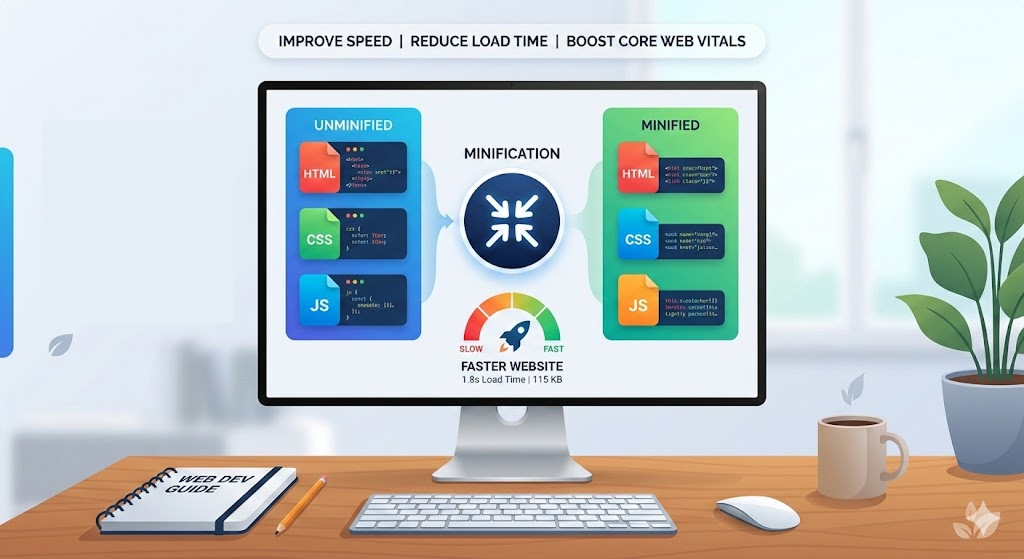
Every millisecond counts when a visitor loads your website. Studies from Google consistently show that pages taking longer than three seconds to load lose over half their visitors. One of the most effective, low-effort ways to shave those milliseconds is code minification — removing unnecessary characters from your HTML, CSS, and JavaScript without changing what the code does.
This guide walks through exactly what minification is, why it matters, and how you can minify your front-end assets in seconds using free tools.
What Is Code Minification?
Minification is the process of removing all characters from source code that are not required for execution. This includes:
- Whitespace — spaces, tabs, and newlines that exist for readability
- Comments — notes left by developers that browsers ignore
- Redundant semicolons and brackets in certain contexts
- Long variable names (in JavaScript, when using advanced minifiers)
The resulting output is functionally identical to the original. It runs the same way in every browser. The only difference is file size — and that difference can be significant.
A Quick Example
Consider this CSS before minification:
/* Main navigation styles */
.nav-bar {
    display: flex;
    justify-content: space-between;
    align-items: center;
    padding: 16px 24px;
    background-color: #ffffff;
}

.nav-bar .logo {
    font-size: 1.5rem;
    font-weight: 700;
}
After minification:
.nav-bar{display:flex;justify-content:space-between;align-items:center;padding:16px 24px;background-color:#fff}.nav-bar .logo{font-size:1.5rem;font-weight:700}
The minified version is roughly 40% smaller. Multiply that across an entire stylesheet, and you are looking at meaningful savings.
Why Minification Matters for Performance
1. Smaller File Sizes Mean Faster Downloads
The relationship is direct. A 120 KB CSS file minified down to 85 KB transfers faster over any connection, especially on mobile networks where bandwidth is limited and latency is high.
2. Improved Core Web Vitals
Google's Core Web Vitals — Largest Contentful Paint (LCP), First Input Delay (FID), and Cumulative Layout Shift (CLS) — are directly influenced by how fast your assets load. Minified CSS and JavaScript contribute to faster LCP by reducing render-blocking resource sizes.
3. Lower Bandwidth Costs
If your site serves millions of requests per month, even a small reduction in file size translates to measurable savings on CDN and hosting costs.
4. Better User Experience
Pages that render quickly feel responsive. Users stay longer, engage more, and convert at higher rates. Minification is one of the simplest wins available.
How to Minify HTML
HTML minification removes whitespace between tags, strips comments, and collapses unnecessary attributes. It is particularly effective on large template files where indentation accounts for a significant portion of the file size.
What gets removed:
- HTML comments (
<!-- ... -->) - Whitespace between tags
- Optional closing tags in certain cases
- Redundant attribute quotes where safe
What stays intact:
- Content inside
<pre>and<code>blocks - Inline scripts and styles (these need their own minification)
- Structural integrity of the document
You can minify HTML instantly using the HTML Minifier on ToolByte. Paste your markup, click minify, and copy the output. No sign-up, no file uploads to third-party servers.
How to Minify CSS
CSS minification is where you typically see the largest percentage reduction. Stylesheets are full of whitespace, comments, and formatting that exists purely for developer convenience.
Common optimizations:
- Remove all comments
- Collapse whitespace and line breaks
- Remove trailing semicolons in rule blocks
- Shorten color values (
#ffffffbecomes#fff) - Remove units from zero values (
0pxbecomes0)
For a quick, reliable CSS minification, the CSS Minifier on ToolByte handles all of the above. It processes your stylesheet client-side, meaning your code never leaves your browser.
How to Minify JavaScript
JavaScript minification is the most complex of the three because the language has variable scoping, function expressions, and syntax rules that require careful parsing.
Basic minification includes:
- Removing comments and whitespace
- Shortening variable and function names (in advanced mode)
- Removing unnecessary semicolons
- Collapsing block structures
A word of caution: always test minified JavaScript thoroughly. Aggressive minification can occasionally break code that relies on function name introspection or certain eval patterns.
The JavaScript Minifier on ToolByte provides safe, reliable minification that preserves functionality while reducing file size.
Beyond the Big Three: JSON and XML
If your application serves API responses or configuration files, minifying JSON and XML is equally valuable.
- JSON Minification strips whitespace from data payloads. A prettified API response with nested objects can shrink by 30–50% after minification. Use the JSON Minifier for instant results.
- XML Minification removes comments, whitespace between tags, and unnecessary declarations. The XML Minifier handles this cleanly.
Minification in Your Build Pipeline
While online tools are perfect for quick tasks and one-off jobs, production workflows typically integrate minification into the build process:
- Webpack uses
TerserPluginfor JavaScript andcss-minimizer-webpack-pluginfor CSS - Vite minifies by default in production builds
- Gulp workflows use
gulp-htmlmin,gulp-clean-css, andgulp-uglify - PostCSS with
cssnanohandles CSS optimization
Even with automated pipelines, having a fast online minifier available is valuable for debugging, quick tests, and situations where you need to minify a snippet outside your project context.
Common Mistakes to Avoid
-
Minifying already minified code — Running minification twice rarely helps and can occasionally cause issues. Check whether your file is already minified before processing.
-
Forgetting source maps — In production, serve minified files but generate source maps so you can debug issues when they arise.
-
Minifying third-party libraries manually — Libraries like React, jQuery, and Bootstrap already ship minified versions. Use those instead of processing them yourself.
-
Not testing after minification — Always verify that your site works correctly with minified assets. Automated tests or a quick manual check can catch rare edge cases.
Measuring the Impact
After minifying your assets, measure the difference:
- Google PageSpeed Insights will show improvements in performance score
- WebPageTest provides waterfall charts showing reduced transfer sizes
- Chrome DevTools Network tab lets you compare file sizes before and after
- Lighthouse audits flag unminified resources as optimization opportunities
Conclusion
Minifying HTML, CSS, and JavaScript is one of the highest-return, lowest-effort performance optimizations you can make. It requires no architectural changes, no redesign, and no server configuration. You simply process your files and deploy the smaller versions.
For quick, browser-based minification without accounts or limitations, ToolByte offers dedicated minifiers for HTML, CSS, JavaScript, JSON, and XML — all free, all running client-side. Whether you are optimizing a single file or checking output during development, these tools get the job done in seconds.
If you are serious about web performance, minification should be a non-negotiable step in every deployment. Start with your largest files, measure the results, and make it part of your standard workflow.