Choosing web hosting feels more complicated than it should be. Providers throw around terms—shared, VPS, cloud, dedicated, managed, unmanaged—and pricing ranges from ₹99/month to ₹50,000/month or more. How do you know what you actually need?
The truth is, hosting requirements vary enormously. A personal blog has different needs than a high-traffic e-commerce site. Overpaying for capacity you don't need wastes money. Underpaying for inadequate hosting creates problems that cost more in the long run.
Let's cut through the jargon and understand what each type actually offers.
Shared Hosting: The Apartment Complex
Imagine living in an apartment building. You share the structure, plumbing, electrical system, and common areas with many other residents. It's affordable because costs are distributed, but your usage affects others and vice versa.
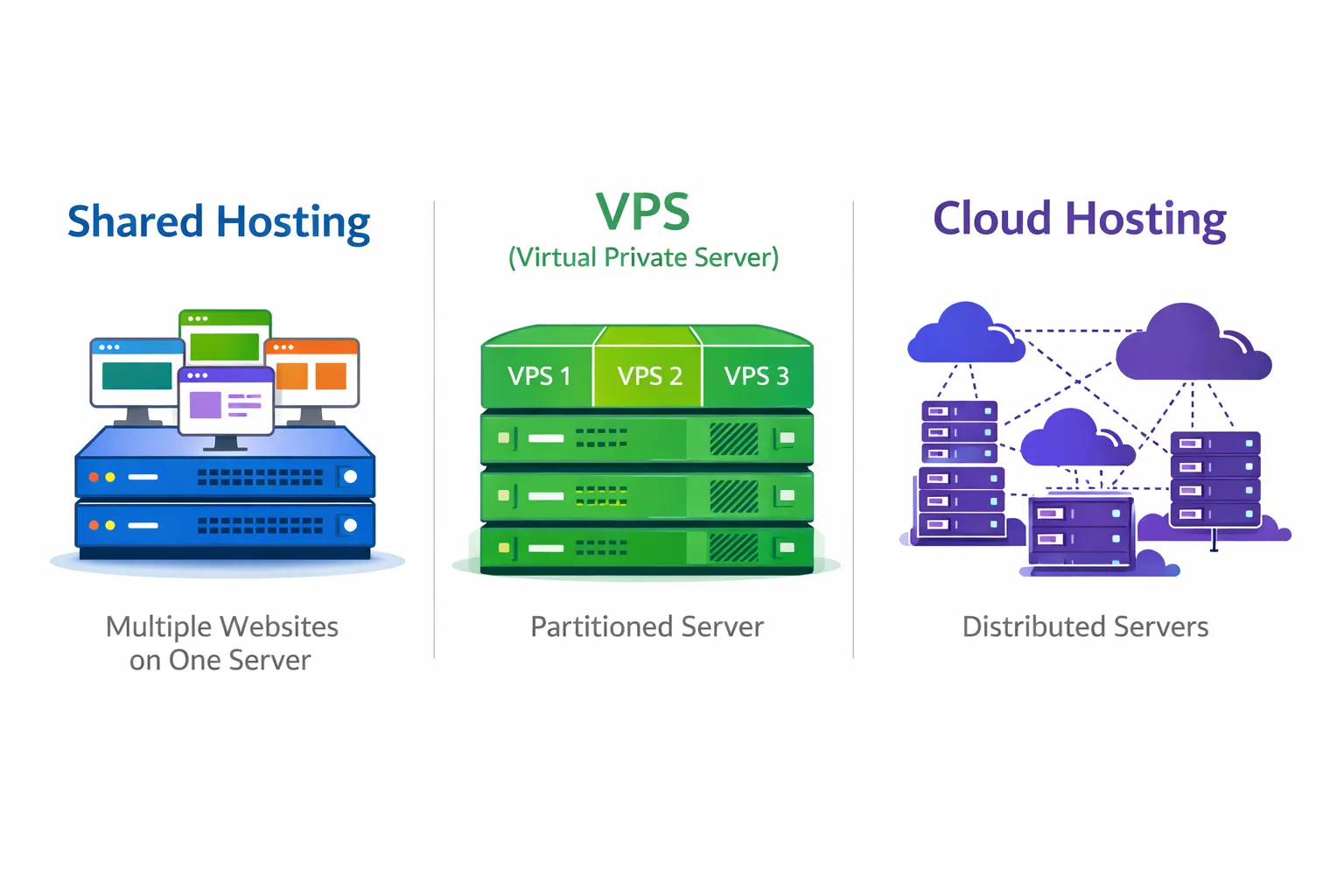
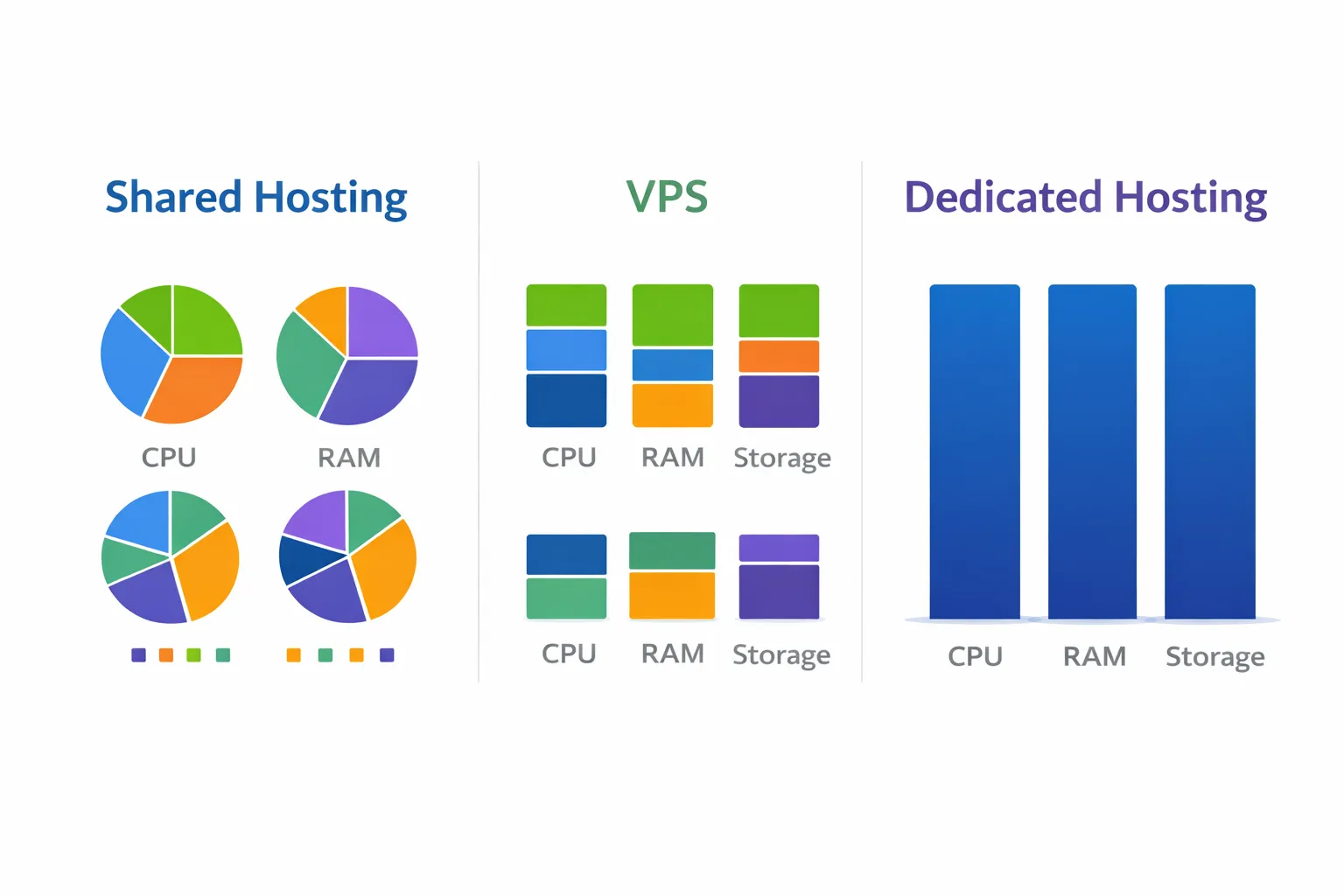
Shared hosting works the same way. Multiple websites live on one physical server, sharing its CPU, memory, storage, and bandwidth. The hosting company manages everything—you just upload your files.
How it works:
Your website sits alongside potentially hundreds of others on the same server. When someone visits your site, they're using a fraction of that server's resources. If the server has 32GB of RAM, your site might get a few hundred megabytes depending on current load.
Pros:
✅ Cheapest option. Typically ₹99-500/month. The cost of the server is split among many customers.
✅ No technical management. The host handles server maintenance, security updates, and system administration.
✅ Quick to set up. Sign up, upload files, your site is live. No server configuration required.
✅ Includes basic features. Email hosting, SSL certificates, one-click CMS installations usually included.
Cons:
❌ Resource sharing risks. If another site on your server gets heavy traffic or has resource-heavy scripts, your site slows down. The "noisy neighbor" problem.
❌ Limited resources. You can't use more than your allocated share, even if the server has capacity.
❌ Less control. You can't install custom software, modify server settings, or optimize for specific needs.
❌ Security risks. A compromised site on your server could potentially affect yours, depending on server configuration.
❌ Performance ceiling. Once you outgrow shared hosting, migration is necessary.
Best for:
- Personal blogs and portfolios
- Small business brochure sites
- Low-traffic websites
- Testing and development
- Beginners learning web development
VPS: Your Own Floor in the Building
VPS (Virtual Private Server) is like owning a condominium floor in a building. You still share the physical structure with others, but you have guaranteed space that's completely yours. Others can't access it, and their activities don't directly affect yours.
Technically, a physical server is divided into multiple virtual servers using virtualization technology. Each VPS acts like an independent server with dedicated resources.
How it works:
The physical server might have 64GB RAM and 16 CPU cores. Your VPS is allocated, say, 4GB RAM and 2 CPU cores that are exclusively yours. Even if other VPS instances on the same physical server are maxed out, your allocation remains available.
Pros:
✅ Guaranteed resources. Your allocated CPU, RAM, and storage are reserved. No neighbor impact.
✅ Root access. Full administrative control. Install any software, configure server however you need.
✅ Better performance. Dedicated resources mean consistent, reliable performance.
✅ Isolation. Security issues on other VPS instances don't affect yours.
✅ Scalable. Most providers let you upgrade resources without migration.
✅ Moderate cost. More expensive than shared, but far cheaper than dedicated servers.
Cons:
❌ Requires technical knowledge. Unmanaged VPS means you handle server administration. You need to know Linux, security hardening, software installation.
❌ You handle updates. Operating system patches, security updates, software maintenance is your responsibility (unless you pay for managed VPS).
❌ Fixed resource limits. You get what you pay for. Need more? You upgrade (which may require restart).
❌ Physical server limits. Still sharing physical hardware. If the underlying server fails, your VPS goes down.
Best for:
- Growing websites outgrowing shared hosting
- Websites needing specific software or configurations
- Development and staging environments
- Small to medium web applications
- Businesses wanting control without dedicated server costs
Managed vs. Unmanaged:
Unmanaged VPS is cheaper but requires technical skills. You're responsible for everything.
Managed VPS costs more but the provider handles security updates, monitoring, backups, and sometimes optimization. Good option if you want VPS power without server administration overhead.
Cloud Hosting: The Flexible, Distributed Approach
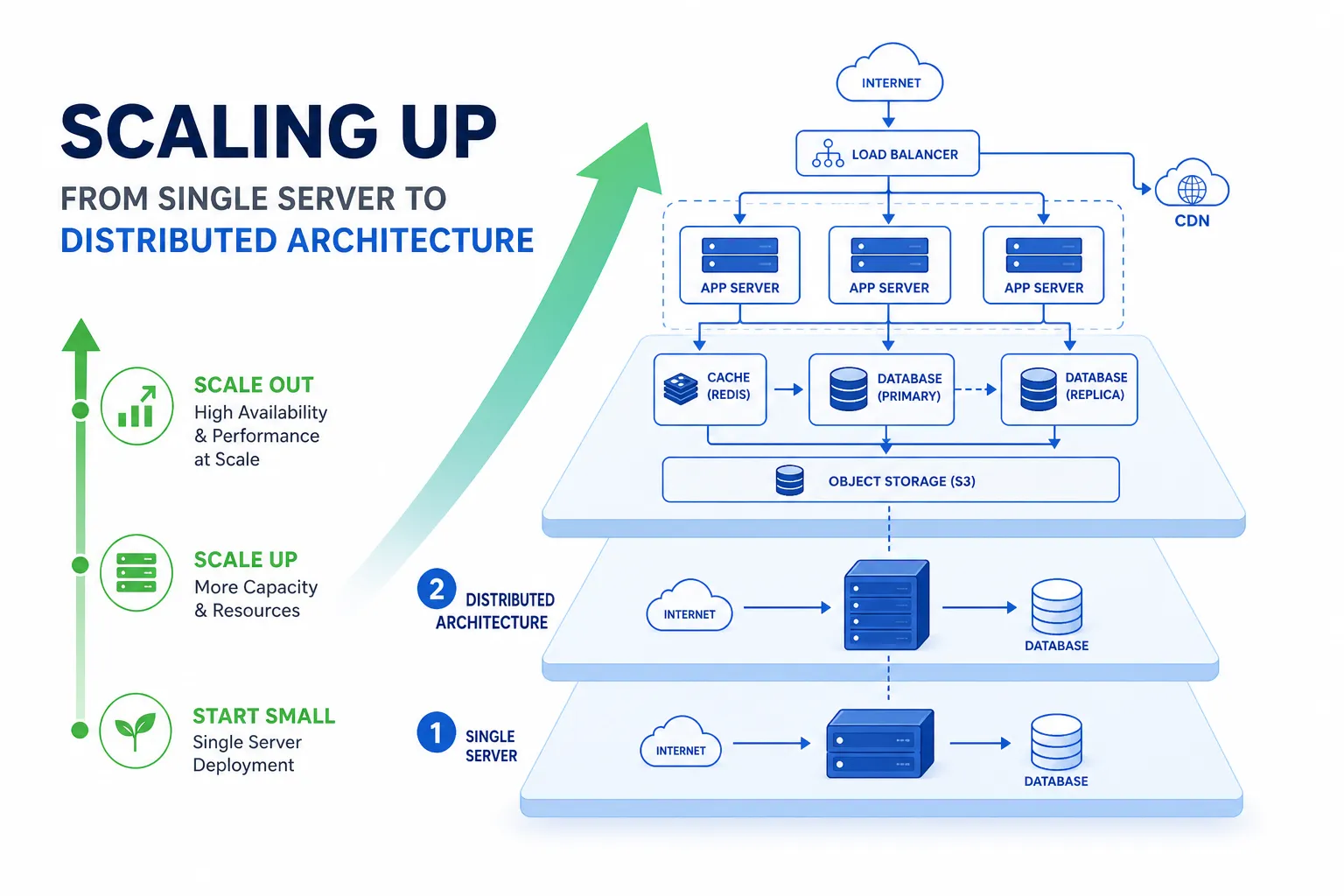
Cloud hosting distributes your website across multiple servers in a network. Rather than living on one machine (physical or virtual), your site draws from a pool of resources that can scale dynamically.
This is fundamentally different architecture than traditional hosting.
How it works:
Major cloud providers (AWS, Google Cloud, Azure, DigitalOcean) maintain massive networks of servers. Your application runs on this infrastructure, able to use more or fewer resources as needed. Traffic spike? More resources are automatically allocated. Traffic drops? You stop paying for unused capacity.
Pros:
✅ True scalability. Scale up or down based on actual demand. Handle traffic spikes without prior planning.
✅ Pay for what you use. Many cloud pricing models charge for actual consumption, not fixed allocations.
✅ High availability. If one server fails, others take over. No single point of failure.
✅ Global reach. Deploy to multiple geographic regions easily. Content delivered from servers near users.
✅ Modern infrastructure. Latest technology, extensive service ecosystems, integration with DevOps tools.
✅ Flexibility. Mix different services—databases, storage, compute, serverless—for optimal architecture.
Cons:
❌ Cost unpredictability. "Pay for what you use" can mean unexpected bills if traffic spikes or resources are misconfigured.
❌ Complexity. Cloud platforms have learning curves. Hundreds of services, configuration options, and potential pitfalls.
❌ Management overhead. Unless using managed services, you're responsible for the operational aspects.
❌ Potential vendor lock-in. Deep integration with one provider makes switching difficult later.
❌ Can be expensive. For predictable, steady workloads, cloud can cost more than equivalent VPS capacity.
Best for:
- High-traffic websites with variable load
- Applications requiring high availability
- Businesses anticipating rapid growth
- Modern architectures (microservices, containers)
- Global audiences needing geographic distribution
Comparison Table
| Factor | Shared | VPS | Cloud |
|---|---|---|---|
| Cost | ₹99-500/month | ₹1,500-8,000/month | ₹500-50,000+/month (variable) |
| Resources | Shared | Guaranteed | Elastic |
| Technical skill needed | None | Moderate-High | Moderate-High |
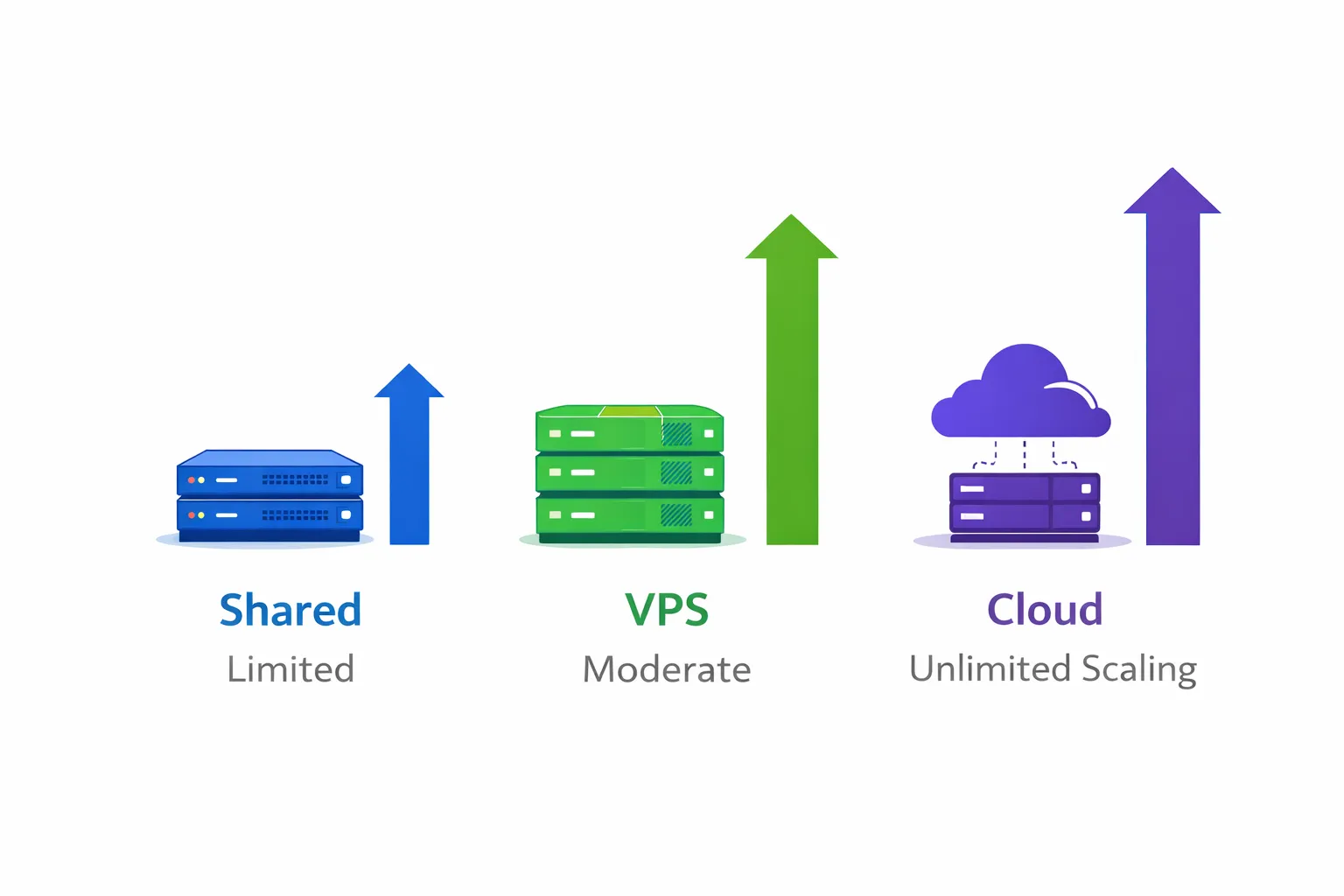
| Scalability | Limited | Vertical (upgrade plan) | Horizontal + Vertical |
| Performance | Variable | Consistent | High |
| Control | Limited | Full | Full |
| Best for | Small sites | Growing sites | High-traffic/variable sites |
Which Do You Actually Need?
Start with shared hosting if:
- You're launching a new website with uncertain traffic
- Monthly visitors are under 10,000
- You don't need custom server configurations
- Budget is the primary concern
- You're not technically inclined
There's no shame in shared hosting. Many successful businesses run on shared hosting for years. Start there and upgrade when you genuinely need to.
Move to VPS when:
- Your shared hosting site is regularly slow or hitting resource limits
- You need to install specific software or libraries
- Security and isolation become priorities
- You're running a web application (not just a website)
- You have traffic in the 10,000-100,000 monthly visitor range
- You or your team can handle basic server administration (or pay for managed VPS)
VPS is often the sweet spot for small to medium businesses. Enough resources and control without cloud complexity.
Choose cloud when:
- Traffic is highly variable (flash sales, viral content, seasonal business)
- Downtime is unacceptable and you need redundancy
- You're building a SaaS or web application expecting growth
- You need global presence across multiple regions
- Your development team is comfortable with cloud infrastructure
- Budget allows for potentially higher costs in exchange for scalability
Cloud makes sense when flexibility and availability justify the complexity and potential cost.
Real Cost Considerations
Published prices don't tell the whole story.
Shared hosting: What you see is what you pay. Simple.
VPS: The base price plus potential costs for:
- Managed services (if needed)
- Backup storage
- SSL certificates (sometimes extra)
- Control panels (cPanel, Plesk)
- Additional IPs
Cloud: The compute price plus:
- Data transfer (bandwidth can be expensive)
- Storage (separate from compute)
- Load balancers, SSL certificates, static IPs
- Monitoring and logging
- Support plans
A ₹1,000/month VPS might actually cost less than "pay-as-you-go" cloud for the same workload, depending on usage patterns.
Migration Considerations
If you're upgrading hosting types:
Shared to VPS:
- Relatively straightforward
- Export database, transfer files, configure server
- May need to reconfigure email
VPS to Cloud:
- Architecture decisions required
- Often involves re-thinking deployment
- Database migration needs careful planning
- Consider containerization (Docker) for portability
Downgrading:
- Usually easier than upgrading
- Check resource requirements still met
- May lose features available on higher tiers
Plan migrations during low-traffic periods. Test thoroughly before switching DNS.
Our Recommendations
For most small to medium businesses in India:
Starting out: Shared hosting from a reputable provider. Don't overthink it initially.
Growing steadily: Managed VPS with a provider that offers easy upgrades. You get guaranteed resources without server administration headaches.
Scaling significantly: Cloud hosting (AWS, Google Cloud, or Indian providers like DigitalOcean Bangalore) when you have traffic that justifies it and technical capacity to manage it.
The right choice depends on your specific situation—traffic levels, technical resources, budget, and growth expectations.
At Duo Dev Technologies, we help clients choose and configure appropriate hosting for their needs. Sometimes the answer is "shared hosting is fine for now." Sometimes it's a cloud architecture that scales to millions of users. The right answer is whatever actually fits your requirements.
Need help choosing or setting up hosting for your website? Contact us for advice based on your specific needs and technical situation.