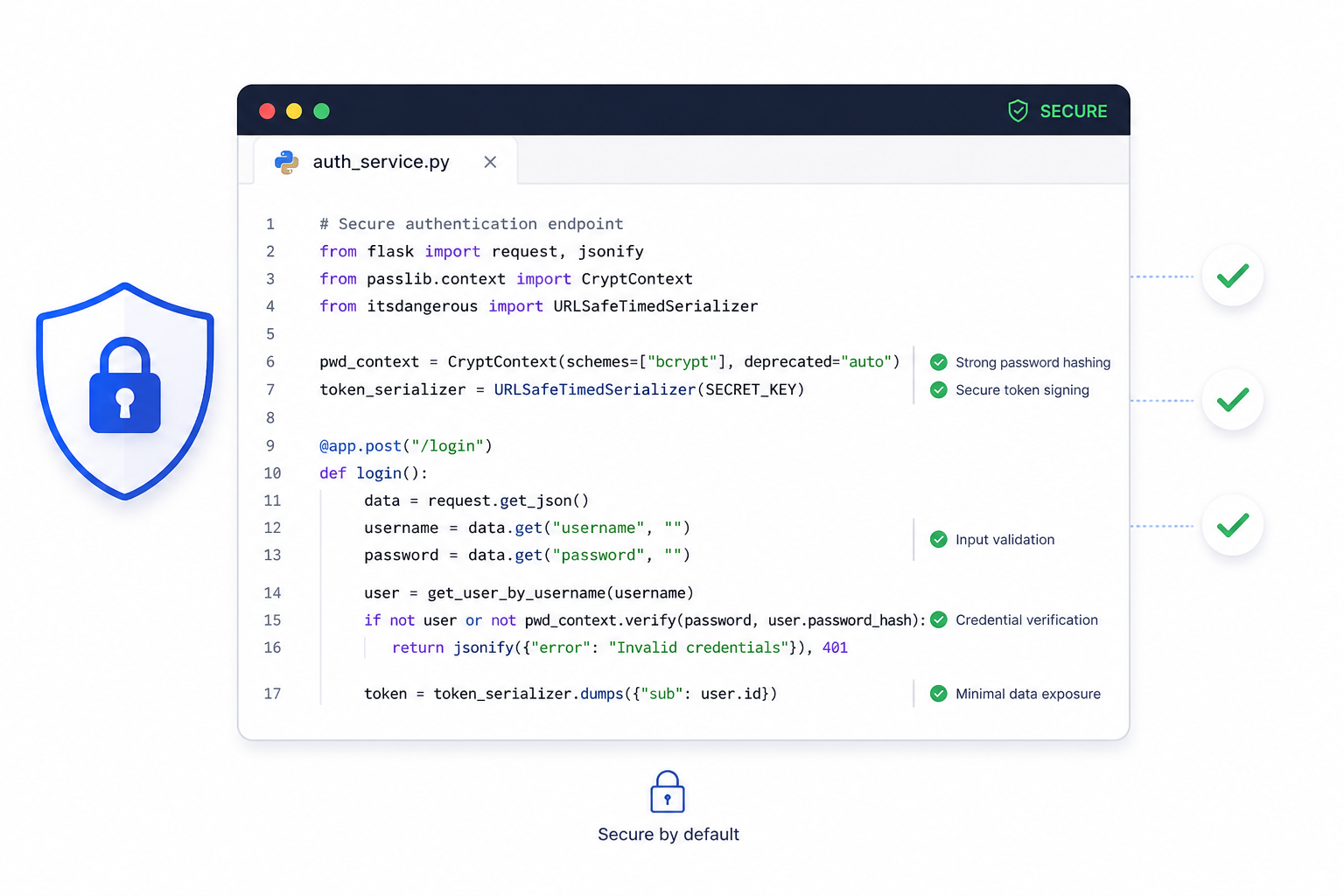
Security breaches rarely happen because attackers are geniuses. They happen because developers make predictable mistakes—mistakes that are well-known, well-documented, and entirely preventable.
The uncomfortable truth is that most vulnerabilities come from inside your own codebase. SQL injection, cross-site scripting, broken authentication—these aren't exotic attacks. They're exploitations of common coding errors that happen when security isn't built into development practices.
Learning to code securely isn't about becoming a security expert. It's about building habits that prevent the predictable problems. Here are the practices that make the biggest difference.
Never Trust User Input
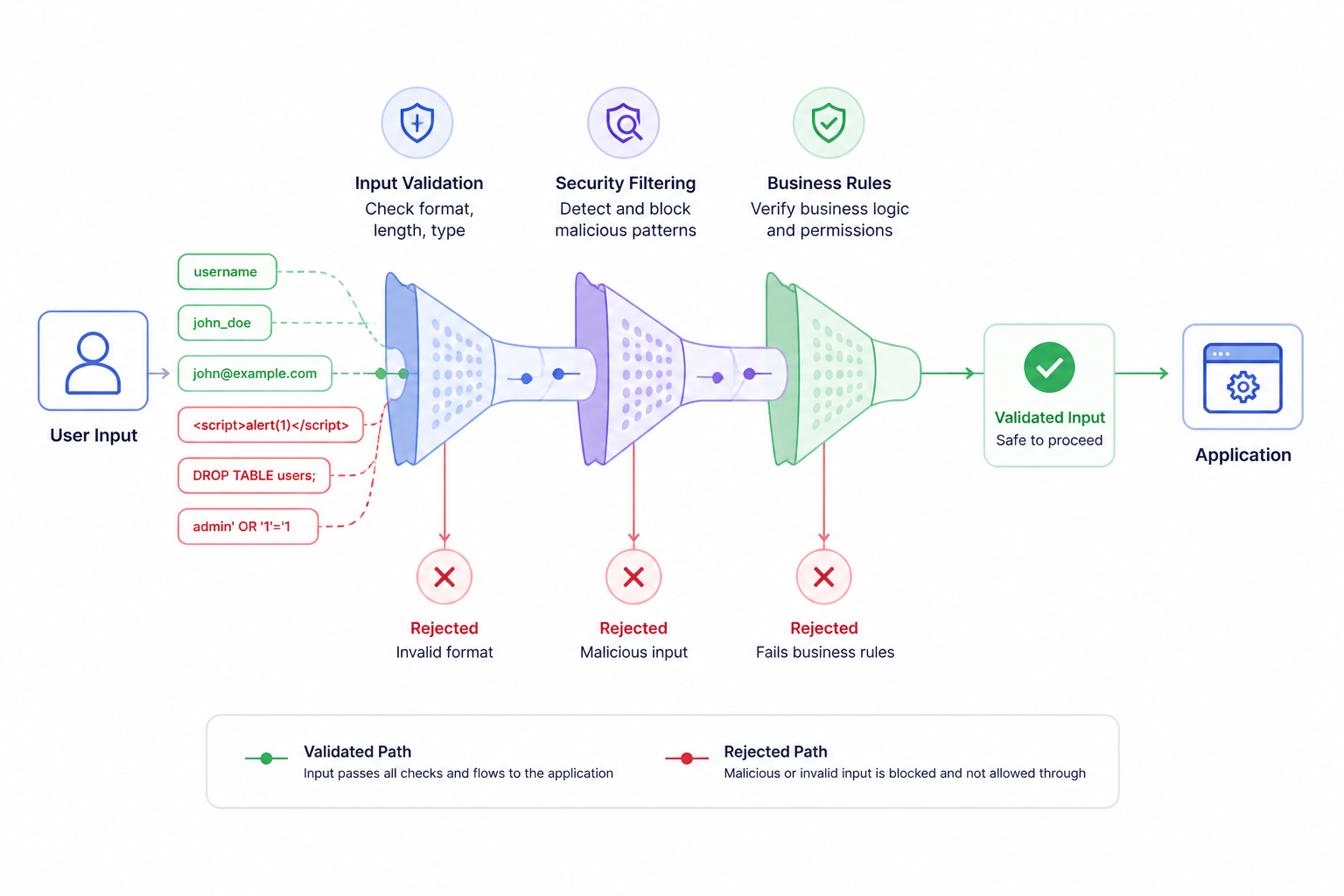
This is the fundamental principle of secure coding. Everything coming from users—form submissions, URL parameters, cookies, HTTP headers, uploaded files—is potentially malicious until proven otherwise.
Attackers don't follow your UI. They send whatever data they want, regardless of client-side validation, field restrictions, or expected formats. If your server-side code assumes input is safe because "the form only accepts emails," you're vulnerable.
Validate everything server-side
Client-side validation is a user experience feature, not a security measure. Server-side validation must:
- Check data types (expecting integer? verify it's actually numeric)
- Enforce length limits (prevent buffer overflows, database issues)
- Verify format (emails look like emails, dates like dates)
- Reject unexpected values (if dropdown has 3 options, only accept those 3)
Sanitize before use
Validation checks if input is acceptable. Sanitization removes or escapes potentially dangerous characters before the data is used:
- HTML encoding when displaying user content
- SQL escaping for database queries (though parameterized queries are better)
- Shell escaping when executing system commands
Use allowlists, not blocklists
Blocklists try to filter out known bad patterns. This fails because attackers find patterns you didn't think of.
Allowlists only permit known good patterns. If you expect a number, only allow digits. If you expect a country code, only allow your predefined list.
Prevent Injection Attacks
Injection vulnerabilities remain among the most common and dangerous security flaws. They occur when untrusted data is sent to an interpreter as part of a command or query.
SQL Injection Prevention
Never construct SQL by concatenating user input:
// VULNERABLE - DO NOT DO THIS
const query = "SELECT * FROM users WHERE email = '" + userEmail + "'";

// If userEmail is: ' OR '1'='1' --
// Query becomes: SELECT * FROM users WHERE email = '' OR '1'='1' --'
// This returns all users
Instead, use parameterized queries or prepared statements:
// SAFE - Parameters are never interpreted as SQL
const query = "SELECT * FROM users WHERE email = ?";
db.query(query, [userEmail]);
Every modern database library supports parameterization. There's no excuse for concatenating SQL.
Command Injection Prevention
Similar principles apply when executing system commands:
# VULNERABLE
os.system("convert " + user_filename + " output.jpg")

# If user_filename is: "file.jpg; rm -rf /"
# You've got problems
Avoid shell commands with user input when possible. If unavoidable, use libraries that don't invoke shells, and validate input against strict allowlists.
XSS Prevention
Cross-site scripting happens when user-provided content gets rendered in browsers without proper encoding:
<!-- If userName contains: <script>alert('hacked')</script> -->
<p>Welcome, <%= userName %></p>
<!-- That script executes in visitors' browsers -->
Solutions:
- HTML-encode user content before displaying
- Use Content Security Policy headers
- Use frameworks with automatic escaping (React, Vue)
- Validate/sanitize HTML if you must accept it (use established sanitization libraries)
Handle Authentication Properly
Authentication mistakes are devastatingly common. Getting this wrong means attackers can impersonate legitimate users.
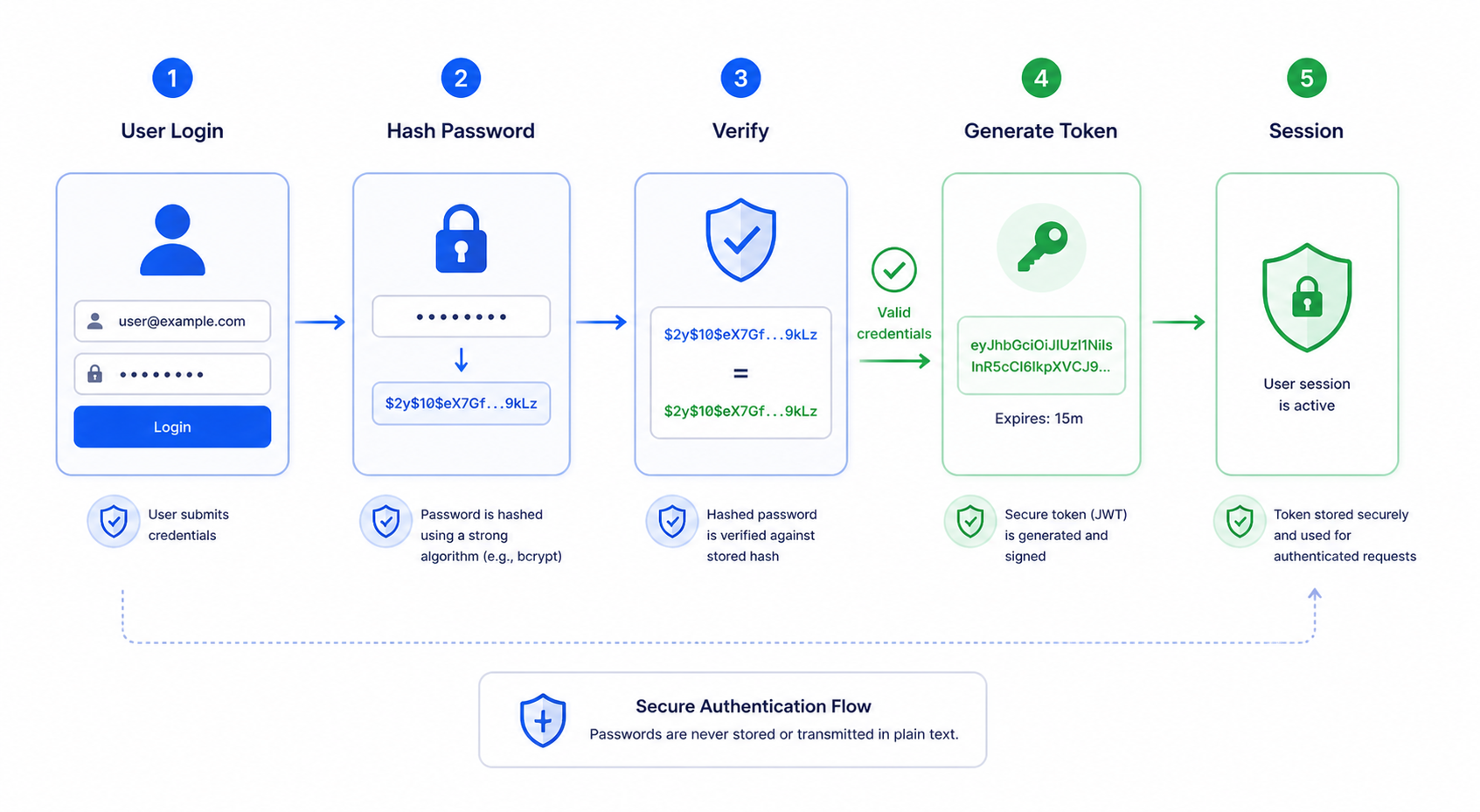
Never store plaintext passwords
This should be obvious in 2026, yet plaintext password storage still happens. When (not if) your database is breached, every user's password is immediately compromised.
Hash passwords using modern algorithms:
✅ Good: bcrypt, Argon2, scrypt
❌ Bad: MD5, SHA1, SHA256 (without key stretching)
// Using bcrypt (Node.js example)
const hashedPassword = await bcrypt.hash(password, 12); // 12 rounds
// Store hashedPassword in database

// Verification
const isValid = await bcrypt.compare(providedPassword, hashedPassword);
Implement proper session management
- Generate cryptographically random session IDs
- Set secure cookie flags:
Secure,HttpOnly,SameSite - Expire sessions after reasonable inactivity
- Regenerate session IDs after privilege changes (login, role change)
- Provide logout that actually invalidates sessions server-side
Protect against brute force
Without limits, attackers can try millions of password combinations. Implement:
- Rate limiting on login attempts
- Account lockout or progressive delays after failures
- CAPTCHA after suspicious patterns
- Monitoring and alerting for unusual login activity
Use multi-factor authentication
Passwords alone are increasingly insufficient. Support or require additional factors:
- Time-based one-time passwords (TOTP)
- SMS codes (less secure but better than nothing)
- Hardware security keys
- Authenticator apps
Protect Sensitive Data
Sensitive data—passwords, personal information, financial details—requires special handling throughout its lifecycle.
Encrypt data in transit
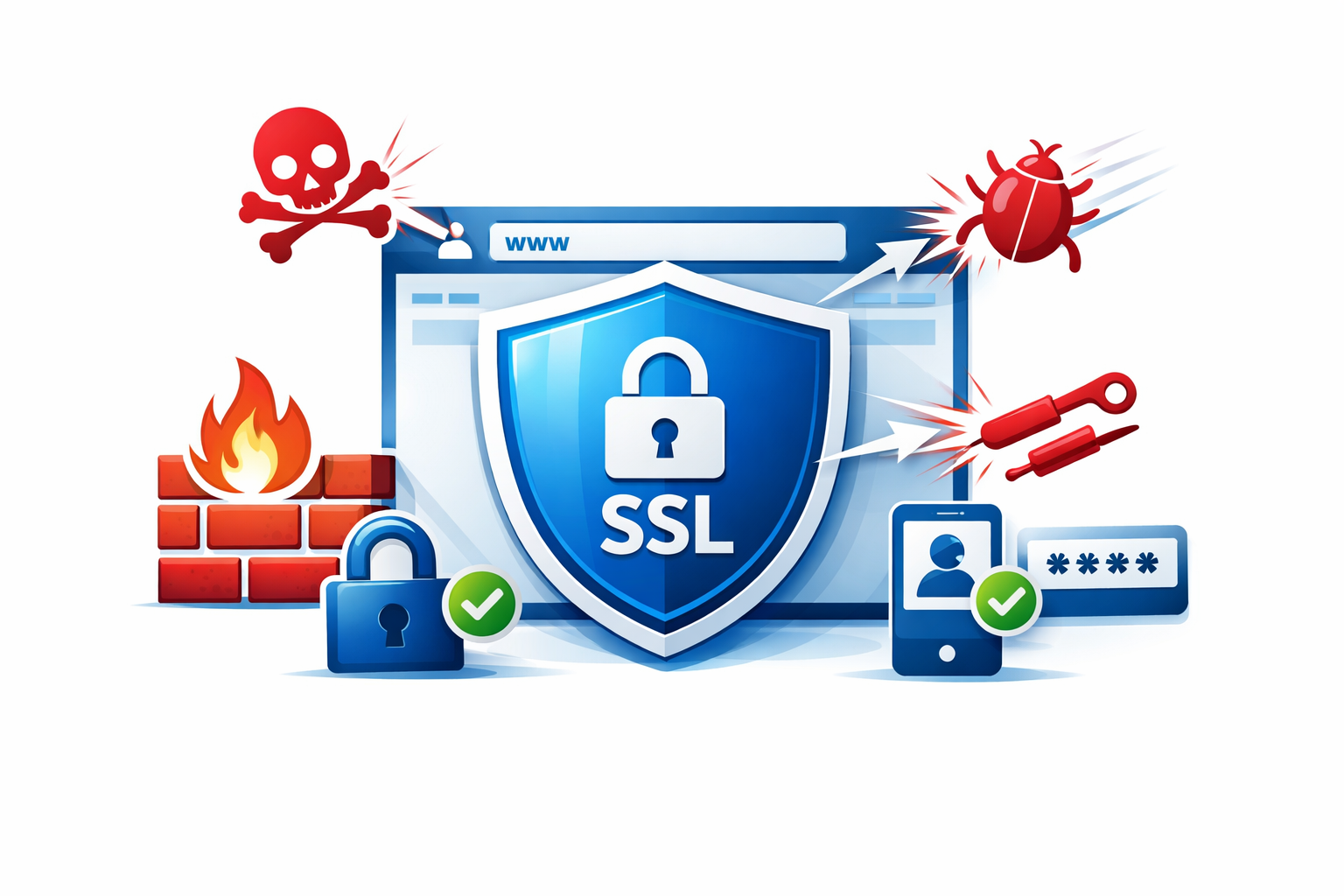
Use TLS (HTTPS) for all communications. This isn't optional anymore. Modern browsers warn users about non-HTTPS sites, and it's a ranking factor for search engines.
- Enforce HTTPS with redirects and HSTS headers
- Use current TLS versions (1.2+, preferably 1.3)
- Configure secure cipher suites
Encrypt sensitive data at rest
Database encryption protects data if storage media is stolen or improperly disposed. Encrypt specifically sensitive fields, not just full-disk encryption (which doesn't protect against application-level breaches).
Minimize data collection
Don't collect data you don't need. Every piece of sensitive data you store is a liability. Ask:
- Do we actually need this information?
- How long do we need to keep it?
- What happens when we no longer need it?
Handle secrets properly
API keys, database credentials, encryption keys—these must never appear in code repositories or client-side code.
- Use environment variables or secret management services
- Never commit secrets to version control
- Rotate secrets regularly
- Use different credentials per environment
Apply Principle of Least Privilege
Give code, users, and processes only the permissions they need—nothing more.
Database users
Your application's database user shouldn't have permissions it doesn't need:
- Read-only access for reporting functions
- No DROP or DELETE permissions unless actually required
- Separate credentials for different application components
File system access
Applications should only access directories they need. Web servers shouldn't read arbitrary system files.
API permissions
Third-party integrations should request minimum necessary scope. Review what each integration actually requires.
User roles
Not every admin needs full access. Implement role-based access control with granular permissions.
Handle Errors Gracefully
Error handling affects security in multiple ways.
Don't expose internal details
Stack traces, database error messages, file paths—these reveal implementation details attackers can exploit:
Error: SQLSTATE[42S22]: Column not found: 1054 Unknown column 'password' in 'users' table
This tells an attacker your database type, table name, and column naming convention.
Show users generic error messages. Log detailed errors server-side for debugging:
try {
  // operation
} catch (error) {
  logger.error('Database query failed', { error, userId, operation });
  return res.status(500).json({ message: 'An error occurred. Please try again.' });
}
Log security events
Maintain logs for security-relevant events:
- Failed login attempts
- Access denied incidents
- Input validation failures
- Authentication changes
- Administrative actions
Logs should include timestamps, user identifiers (when known), IP addresses, and relevant context—but not sensitive data like passwords.
Don't swallow errors silently
Empty catch blocks hide problems:
// BAD - Security issues are invisible
try {
  authenticateUser(request);
} catch (e) {
  // nothing happens
}
Failed operations should be handled appropriately and logged, not ignored.
Secure Dependencies
Modern applications depend on dozens or hundreds of third-party packages. Each is a potential vulnerability entry point.
Keep dependencies updated
Vulnerabilities in popular packages get discovered and publicized. Use tools to track outdated dependencies:
npm auditfor Node.jspip-auditfor Pythonbundle auditfor Ruby- Dependabot, Snyk, or similar services
Establish regular update schedules. Security patches should be applied promptly.
Vet dependencies before adoption
Before adding a new package:
- Is it actively maintained?
- Does it have a security policy?
- What's the download count/community size?
- Are there known vulnerabilities?
- Do you actually need it, or is it adding unnecessary risk?
Lock dependency versions
Use lockfiles (package-lock.json, Pipfile.lock) to ensure consistent, reproducible builds. Version ranges can pull in new, potentially vulnerable versions unexpectedly.
Implement Security Headers
HTTP headers tell browsers to enable security protections:
Content-Security-Policy: default-src 'self'
X-Content-Type-Options: nosniff
X-Frame-Options: DENY
Referrer-Policy: strict-origin-when-cross-origin
Permissions-Policy: camera=(), microphone=()
- Content-Security-Policy: Controls resource loading, prevents XSS
- X-Content-Type-Options: Prevents MIME-sniffing attacks
- X-Frame-Options: Prevents clickjacking via iframes
- Referrer-Policy: Controls information leaked in referer headers
- Permissions-Policy: Disables browser features you don't use
Test for Vulnerabilities
Security isn't a one-time effort. Regular testing catches issues before attackers do.
Automated scanning
Static analysis tools (SAST) examine code for patterns that suggest vulnerabilities. Dynamic analysis tools (DAST) test running applications.
Popular options:
- SonarQube (static analysis)
- OWASP ZAP (dynamic testing)
- Snyk, Veracode (commercial options)
Code review
Security-focused code review catches issues automation misses. Review authentication logic, data handling, and authorization controls carefully.
Penetration testing
Periodic testing by security professionals identifies vulnerabilities you might miss. Consider this for applications handling sensitive data.
Building Security Culture
Secure coding isn't just individual practices—it's team culture.
Security training
Ensure all developers understand common vulnerabilities (OWASP Top 10 is a good starting point) and how to prevent them.
Security requirements in planning
Include security considerations when planning features. "How could this be abused?" should be a standard question.
Incident response planning
Know what to do when vulnerabilities are discovered or exploited. Have a documented process for response, communication, and remediation.
Building secure applications? Duo Dev Technologies develops web applications with security built in from the start. Contact us to discuss your project's security requirements.