Writing for the web is different from writing for print.
You're not just communicating with readers—you're also communicating with search engines. And search engines determine whether your content gets seen at all.
SEO-friendly content satisfies both. It ranks well AND provides value to readers.
Here's how to write content that does both.
The Foundation: Understanding Search Intent
Before typing a single word, understand what searchers want.
Search intent is the "why" behind a search query. What does someone expect to find?
Four Types of Search Intent
Informational: Seeking knowledge
- "how to change a tire"
- "what is blockchain"
Navigational: Looking for specific site/page
- "facebook login"
- "duodev contact"
Commercial: Researching before purchase
- "best laptops 2026"
- "iphone vs samsung comparison"
Transactional: Ready to buy/act
- "buy running shoes online"
- "hire web developer"
Match your content to the intent. An informational query needs a guide, not a sales page.
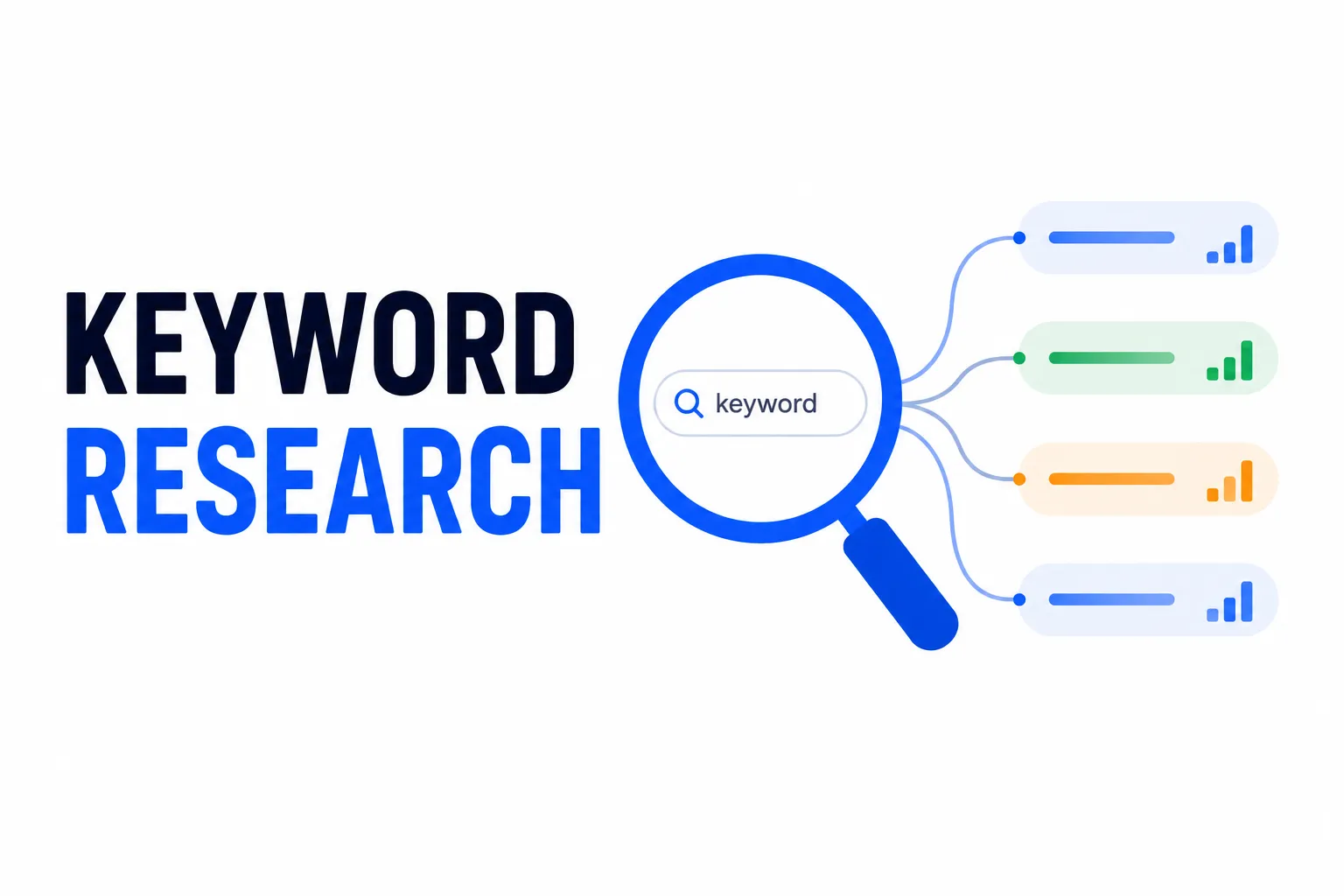
Keyword Research
Finding the Right Keywords
Start with a seed topic, then discover what people actually search for.
Tools to use:
- Google's "People Also Ask" boxes
- Google autocomplete suggestions
- Google Search Console (for existing sites)
- Keyword research tools
Look for keywords with:
- Relevant search volume
- Achievable difficulty
- Clear intent
See our Keyword Research Guide for Beginners for detailed methods.
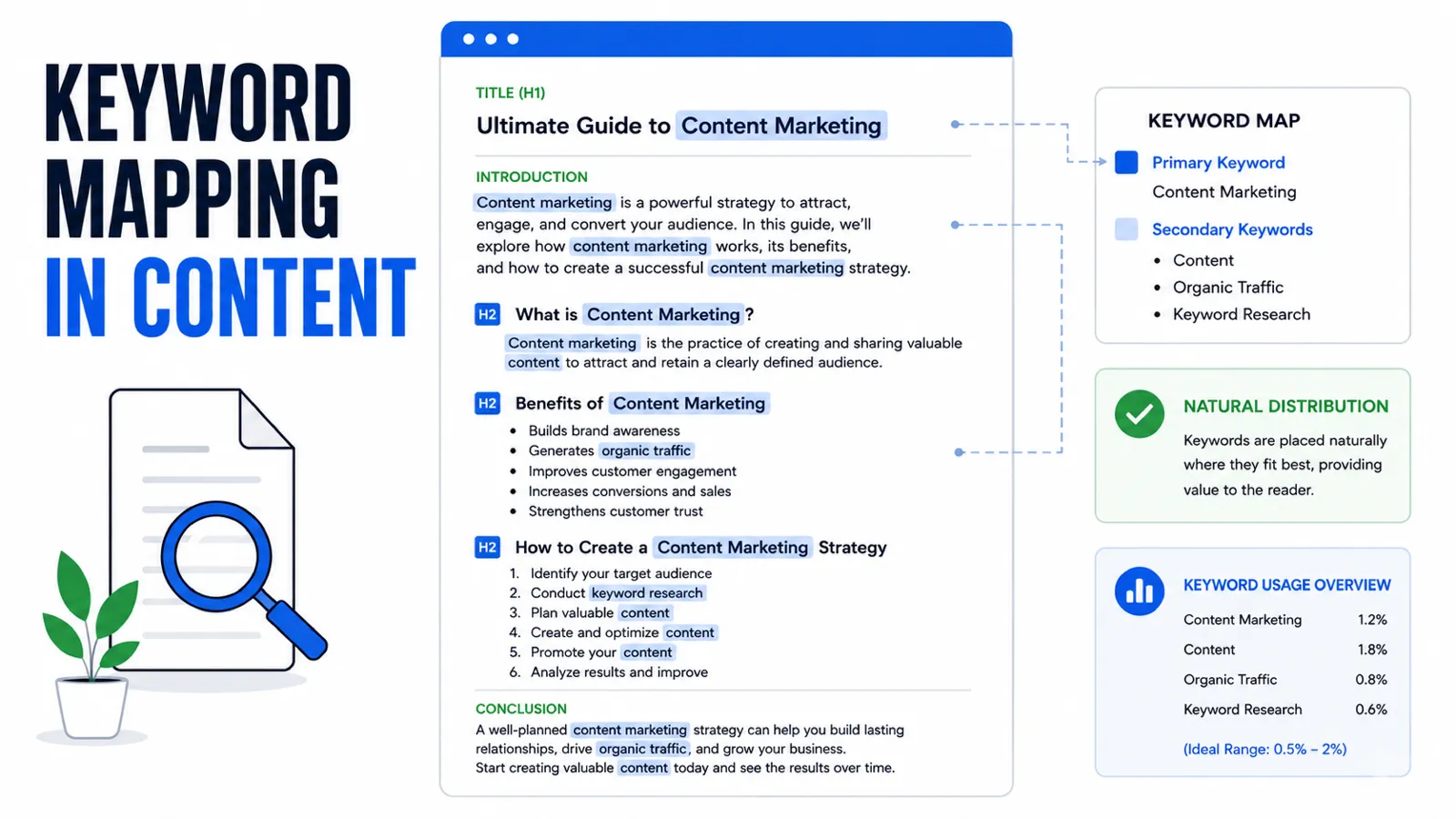
Primary and Secondary Keywords
Primary keyword: The main term you're targeting. Use in title, URL, first paragraph.
Secondary keywords: Related terms that support the topic. Sprinkle naturally throughout.
Example:
- Primary: "SEO-friendly content"
- Secondary: "content optimization," "search engine content," "ranking content," "writing for SEO"
Don't force keywords. If it sounds awkward, rewrite naturally.
Title and Meta Description
Crafting Effective Titles
Your title determines click-through rate from search results.
Good titles:
- Include the primary keyword (preferably near the start)
- Stay under 60 characters (or get truncated)
- Promise clear value
- Create curiosity or urgency
Examples:
- ✅ "How to Create SEO-Friendly Content (Complete Guide)"
- ✅ "SEO Content Writing: 15 Techniques That Actually Work"
- ❌ "Some Thoughts on Writing Good Content for Your Website" (boring, keyword buried)
Writing Meta Descriptions
The meta description is your pitch in search results.
Guidelines:
- 150-160 characters maximum
- Include primary keyword naturally
- Summarize the page's value
- Include a subtle call to action
Example:
"Master the art of creating content that ranks. Learn practical techniques to write SEO-friendly articles that satisfy both readers and search engines."
Meta descriptions don't directly affect rankings but influence click-through rates—which does matter.
Content Structure
Using Headers Properly
Headers organize content for readers AND search engines.
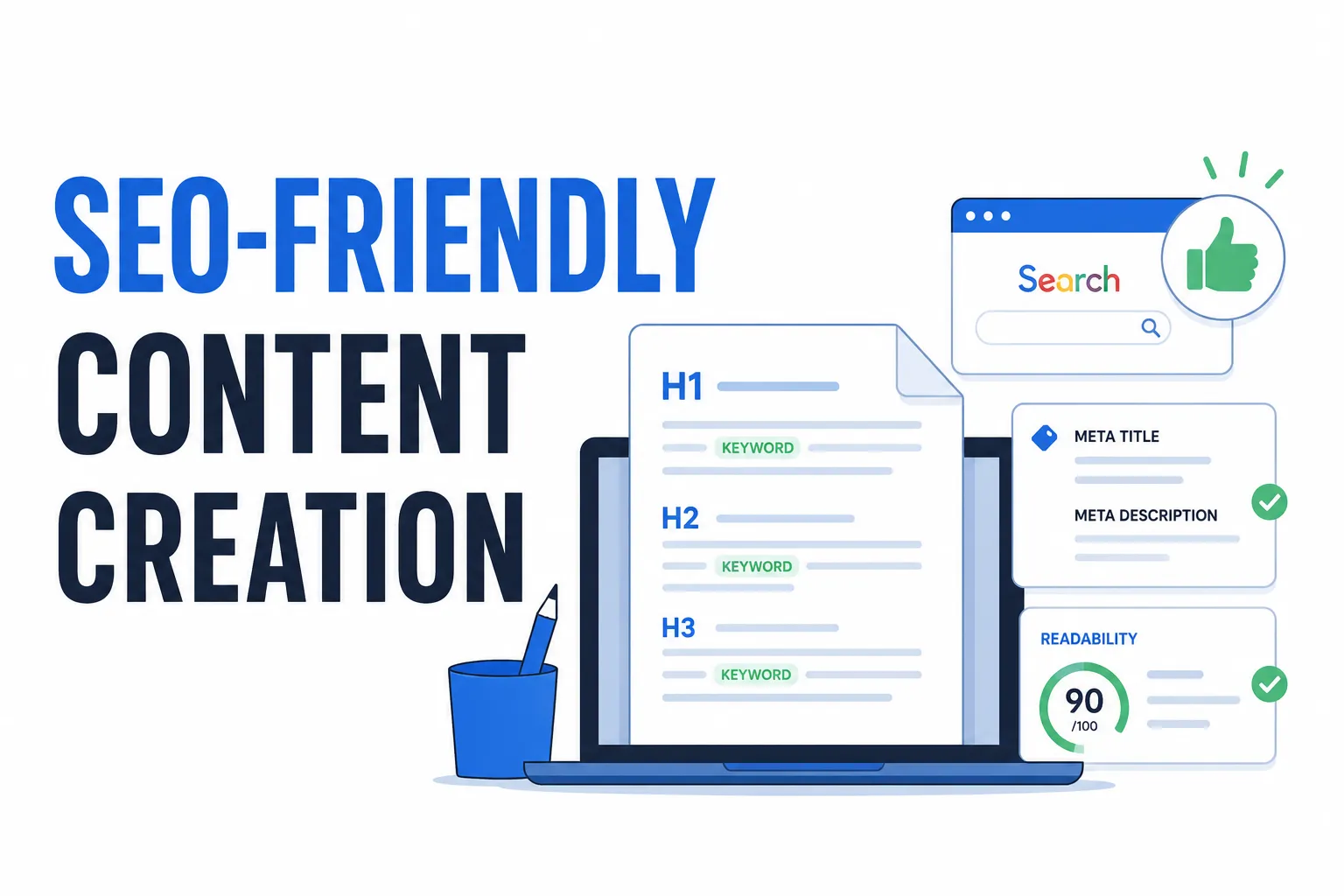
H1: One per page. Usually the title.
H2: Major sections. Include keywords where natural.
H3: Subsections under H2s.
H4-H6: Further subdivisions (use sparingly).
Good structure example:
H1: How to Bake Chocolate Chip Cookies
  H2: Ingredients You'll Need
  H2: Step-by-Step Instructions
    H3: Mixing the Dough
    H3: Adding Chocolate Chips
    H3: Baking Tips
  H2: Common Mistakes to Avoid
Headers should form a logical outline. Reading headers alone should convey the content's structure.
Paragraph Length
Web reading is different:
- People scan rather than read linearly
- Short paragraphs are easier to scan
- Dense blocks of text get skipped
Keep paragraphs to 3-5 sentences maximum. One idea per paragraph.
Break up long sections with:
- Headers
- Bullet points
- Images
- Pull quotes
Writing for Readability
Grade Level
Most successful web content is written at an 8th-grade reading level or below.
This isn't about "dumbing down." It's about clarity.
Simple words beat complex ones:
- "use" instead of "utilize"
- "help" instead of "facilitate"
- "start" instead of "commence"
Clear sentences beat complicated constructions.
Active Voice
Active voice is direct and engaging:
- Active: "Google indexes your page"
- Passive: "Your page is indexed by Google"
Passive voice has its place, but active should dominate.
Sentence Variety
Mix sentence lengths:
- Short sentences punch.
- Medium sentences carry standard information clearly.
- Longer sentences can develop complex ideas when necessary, though they should be used sparingly to avoid reader fatigue.
Rhythm matters. Monotonous sentence structure puts readers to sleep.
Keyword Integration
Natural Placement
Include your primary keyword in:
- Title
- URL
- First 100 words
- At least one H2
- Conclusion
Secondary keywords:
- Throughout body content
- In some headers
- Where they naturally fit
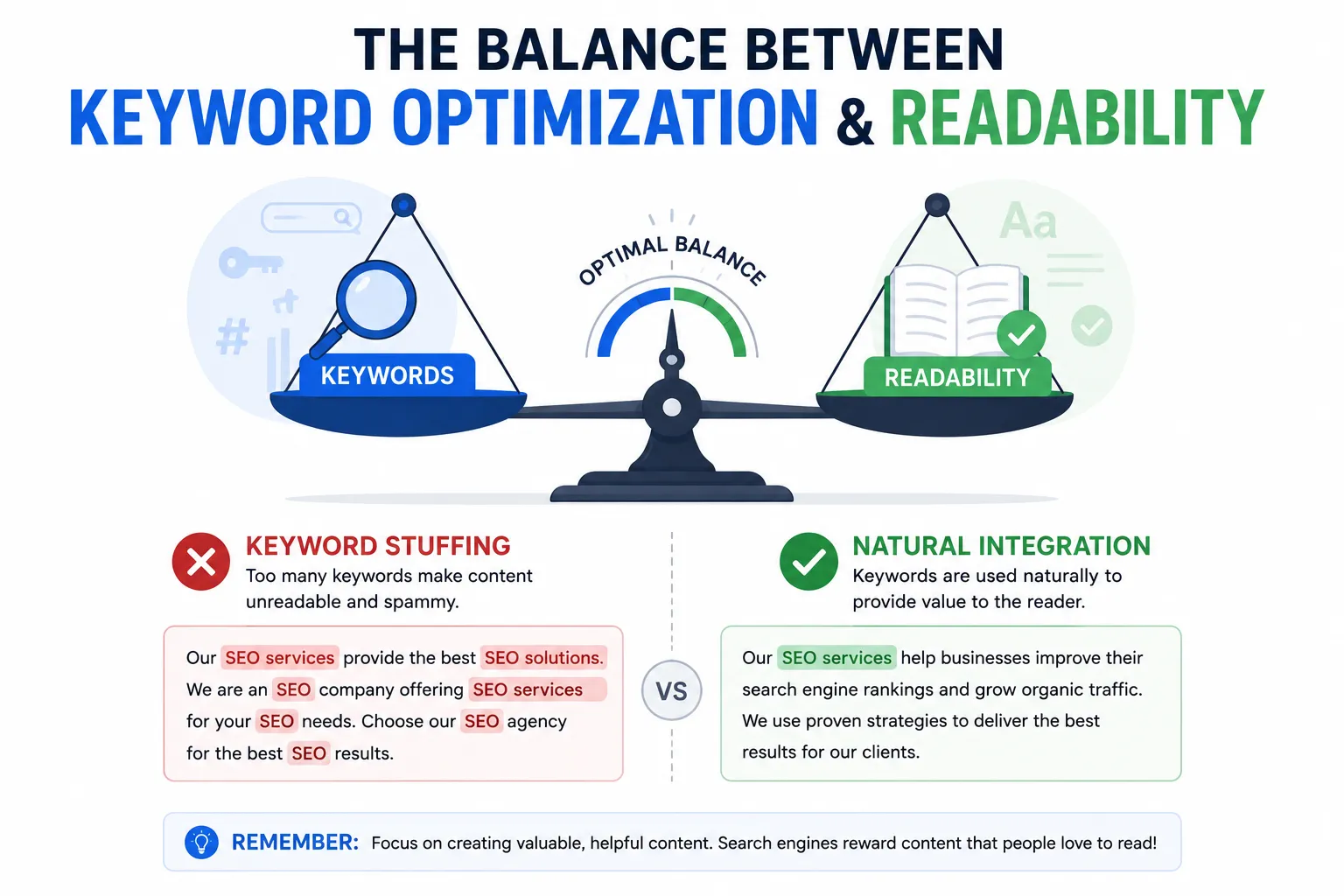
Avoid Keyword Stuffing
Stuffing keywords damages readability and triggers search penalties.
Bad: "Our SEO-friendly content services help you create SEO-friendly content. With our SEO-friendly content approach, your SEO-friendly content will rank higher."
Good: "We create content that ranks well and converts readers. Our approach balances search optimization with genuine value."
Write naturally first. Then review for keyword opportunities. Never sacrifice readability for density.
Internal and External Linking
Internal Links
Link to other relevant content on your site:
- Helps readers discover more
- Distributes page authority
- Creates topical clusters
Each blog post should link to 2-5 other pages on your site.
See How to Plan Website Architecture for SEO for internal linking strategy.
External Links
Link to authoritative external sources:
- Supports your claims with evidence
- Adds value for readers
- Signals thoroughness to search engines
Link to reputable sources. Avoid linking to direct competitors or low-quality sites.
Optimizing Images
File Names
Before uploading, rename image files descriptively:
- Bad:
IMG_4521.jpg - Good:
seo-content-structure-example.jpg
Include keywords when relevant.
Alt Text
Alt text describes images for:
- Screen readers (accessibility)
- Search engines (context)
Good alt text is descriptive but concise:
- "Document showing SEO-friendly content structure with headers and keywords highlighted"
Don't stuff keywords. Describe what's actually in the image.
File Size
Large images slow pages. Slow pages rank lower.
Compress images before uploading. Use our Image Compressor for quick optimization.
Content Length
Quality Over Length
There's no magic word count. The right length is however long it takes to thoroughly cover the topic.
A definition query might need 200 words. A complete guide might need 3,000+.
Don't Pad Content
Padding content to hit word counts creates:
- Boredom for readers
- High bounce rates
- No additional value
If you've covered the topic in 1,200 words, 1,200 words is correct.
Comprehensive Coverage
For competitive topics, comprehensive content often wins.
But "comprehensive" means covering the topic fully, not artificially extending it.
Ask: "What questions might someone still have after reading this?" Answer those questions.
Updating and Refreshing Content
Content Decay
Content gets outdated:
- Statistics change
- Links break
- New developments occur
- Competitors improve
Review and update important content regularly (every 6-12 months for evergreen topics).
What to Update
- Refresh outdated statistics
- Add new relevant information
- Fix broken links
- Improve based on ranking data
- Update dates/years in content
Updated content often sees ranking improvements.
Technical Considerations
URL Structure
URLs should be:
- Short and descriptive
- Include primary keyword
- Use hyphens between words
- Avoid unnecessary parameters
Good: yourdomain.com/seo-friendly-content/
Bad: yourdomain.com/p?id=47583&cat=2
Schema Markup
Structured data helps search engines understand your content.
For articles:
- Article schema
- Author information
- Published/modified dates
Mobile Optimization
Most searches happen on mobile.
Ensure content:
- Renders properly on phones
- Has tappable links/buttons
- Loads quickly on mobile connections
The SEO Content Checklist
Before publishing, verify:
Basics:
- Primary keyword in title
- Primary keyword in URL
- Primary keyword in first 100 words
- Meta description written (150-160 chars)
Structure:
- Proper header hierarchy (H1 → H2 → H3)
- Short paragraphs (3-5 sentences)
- Bullet points or lists where appropriate
- Table of contents for long content (optional)
Content:
- Answers the search intent
- Comprehensive for the topic
- Original insights or value
- Readable and engaging
Technical:
- Images optimized and alt-tagged
- Internal links to relevant content
- External links to authoritative sources
- Mobile preview checked
Common Mistakes
Writing for Search Engines Only
Content that ranks but doesn't engage fails.
High bounce rates and low engagement signal poor quality to Google. Write for humans first.
Ignoring Search Intent
Brilliant content that doesn't match intent won't rank.
If people search for "how to do X," they want instructions—not opinions about X.
Copying Competitors
"The top result is 2,000 words with these headers, so I'll do exactly that."
Google doesn't need duplicate content. Add unique value, perspective, or depth.
Set and Forget
Publishing and moving on. Successful content gets maintained and improved.
Final Thoughts
SEO-friendly content isn't about tricking algorithms. It's about creating genuinely useful content that's easy for search engines to understand.
Satisfy search intent. Structure clearly. Write readably. Optimize technically.
That formula works.
The search engines want to rank helpful content. Your job is to create it and make it findable.
Need help with content strategy or SEO optimization? Contact Duo Dev for content planning and development services.